Turn long videos
into short clips.
AI finds the best moments and cuts them for you.
MP4, MOV, WEBM up to 3 GB
Use Claude or ChatGPT? Ask your AI for the clips
How it works
From a long video to finished clips in 3 steps
Upload once. The AI finds the moments and edits them. You decide what gets posted.
01
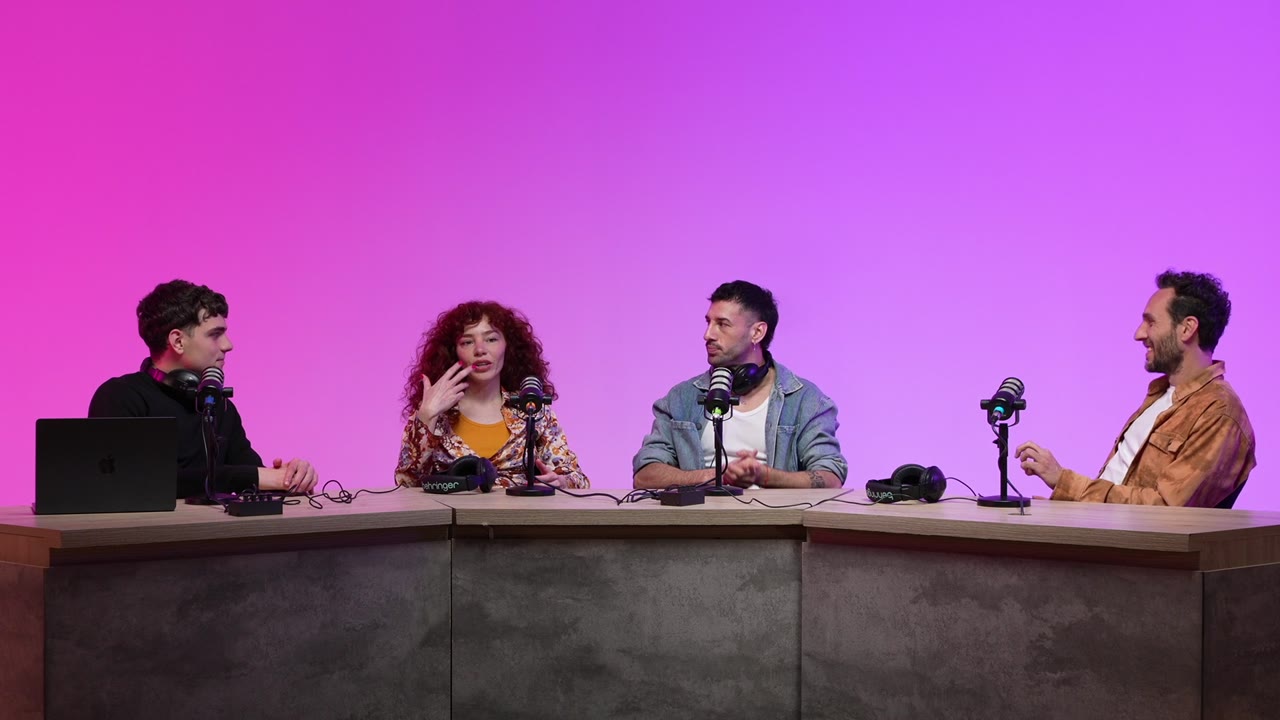
Upload your long video
Interviews, podcasts, streams, classes, radio shows. MP4, MOV or WEBM, up to 3 GB to try it.
02
The AI picks the moments
Moments that make sense on their own, starting and ending on full sentences. Never in the middle of an idea.
03
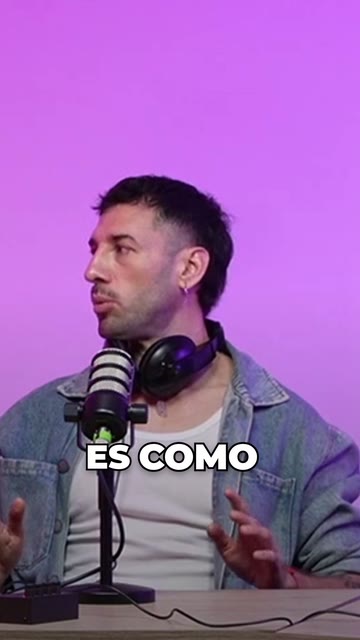
Vertical AI finishes them
Framing that follows whoever is talking, captions in your style, a title and no dead air. Download it as is, or adjust it by hand.
From your AI
Or ask your AI for the clips
If you already work in Claude or ChatGPT, you do not need to open Clipzi. Paste this request there: your AI brings the video in and comes back with each clip, finished.
Copy this and paste it into your AI
I have a long video and I want vertical clips from it. Make 3 with the best moments.
It also copies the instructions your AI needs. See them
--- Instructions for you, the AI ---
Use Clipzi (https://clipzi.app) for this. Do the whole job yourself, start to finish, without asking me to confirm each step.

FIRST, before asking me for the video or anything else, check which of these four cases you are in and act on it:

1. You have Clipzi's tools (make_clips, get_job...): go to "The video" below.
2. You can run commands in a terminal (Claude Code, Codex, Cursor...): read https://clipzi.app/agent and follow it.
3. You have neither, but this app can connect to other services (connectors, MCP servers): Clipzi is not connected yet. Tell me so, and guide me to connect it, one step at a time, waiting until I say it is done. In Claude: Settings > Connectors, find Clipzi in the directory (or add a custom connector with the address https://clipzi.app/mcp). In ChatGPT and other apps: add a custom connector (MCP server) with the address https://clipzi.app/mcp. I sign in with my Clipzi account; it is created right there, with no card. Then I will open a new chat with Clipzi turned on and paste this same request again. Do not ask me for the video yet.
4. This app cannot connect to other services at all: say so plainly, in one or two sentences. Do not ask me for the video and do not try to make the clips yourself. Tell me my two options: use an AI that can connect Clipzi (Claude or ChatGPT), or upload the video myself at https://clipzi.app.

The video (only once you have the tools): it must be a link to the FILE, a direct link or a Google Drive or Dropbox share link set to "anyone with the link". If I gave no link, ask me whether I have one or the video is on my computer. If it is on my computer: call get_upload_link, give me that page to upload it, wait until I say it is done, then list_videos (the new one is first) and make_clips with its id. If my link is a YouTube, TikTok or Instagram page, ask me for the file instead.
If I have no video at hand right now, offer to show me Clipzi on its sample video first (list_videos marks it sample: true; make_clips on it takes seconds and uses nothing of my account), then ask me again for mine.
Then call make_clips (with my link as url, or the video's id; count as I asked; pass query when I asked for a topic or a kind of moment) and get_job with wait_seconds: 50, again until it is done. Give me each clip's link as it finishes (url, or watch_page when there is no url).
Without a plan I can try Clipzi with 2 videos: my clips come as watch_page, a page in Clipzi where I watch them. Give me that link. Downloading needs a plan; never pay for me.
Answer me in English.
No card to try it. Downloading the clips needs a plan. See how it works
Your AI
Claude · ChatGPT · Cursor
I have a long video and I want vertical clips from it. Make 3 with the best moments.
Clipzi made 3 clips
Done. Your 3 clips are ready:
- 0:58
Los nervios y el miedo antes de salir a escena
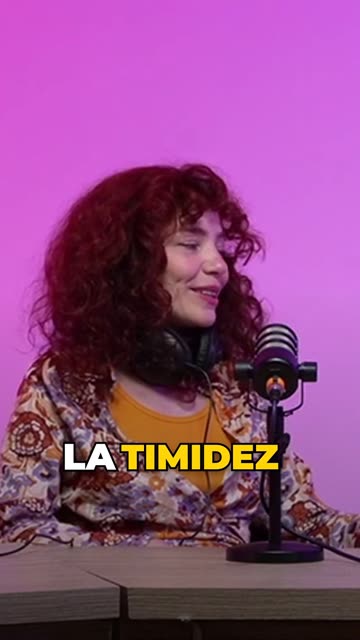 0:49
El teatro como terapia para superar la timidez extrema
 0:54
De la música clásica a los covers de pop y rock
Want a title on them, or other captions? Just ask.
What's new
Clips that come out finished
The AI does the editing a person would do. You review it and change whatever you want.
01
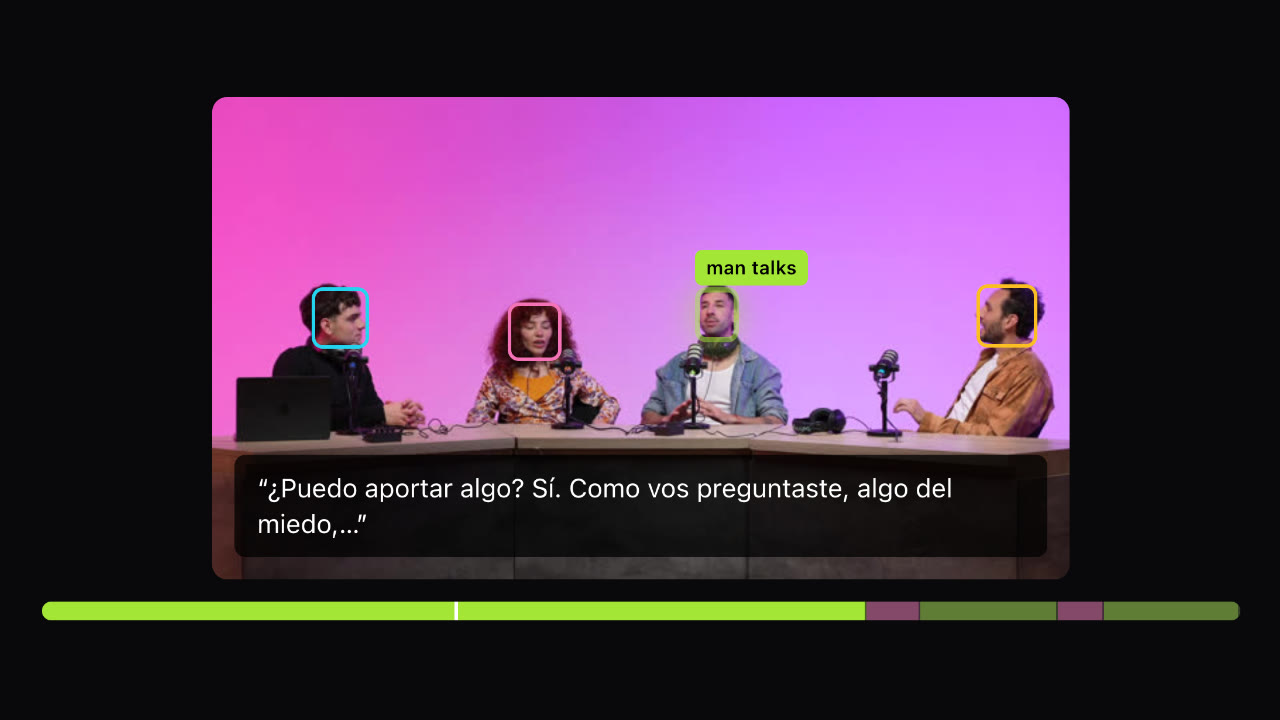
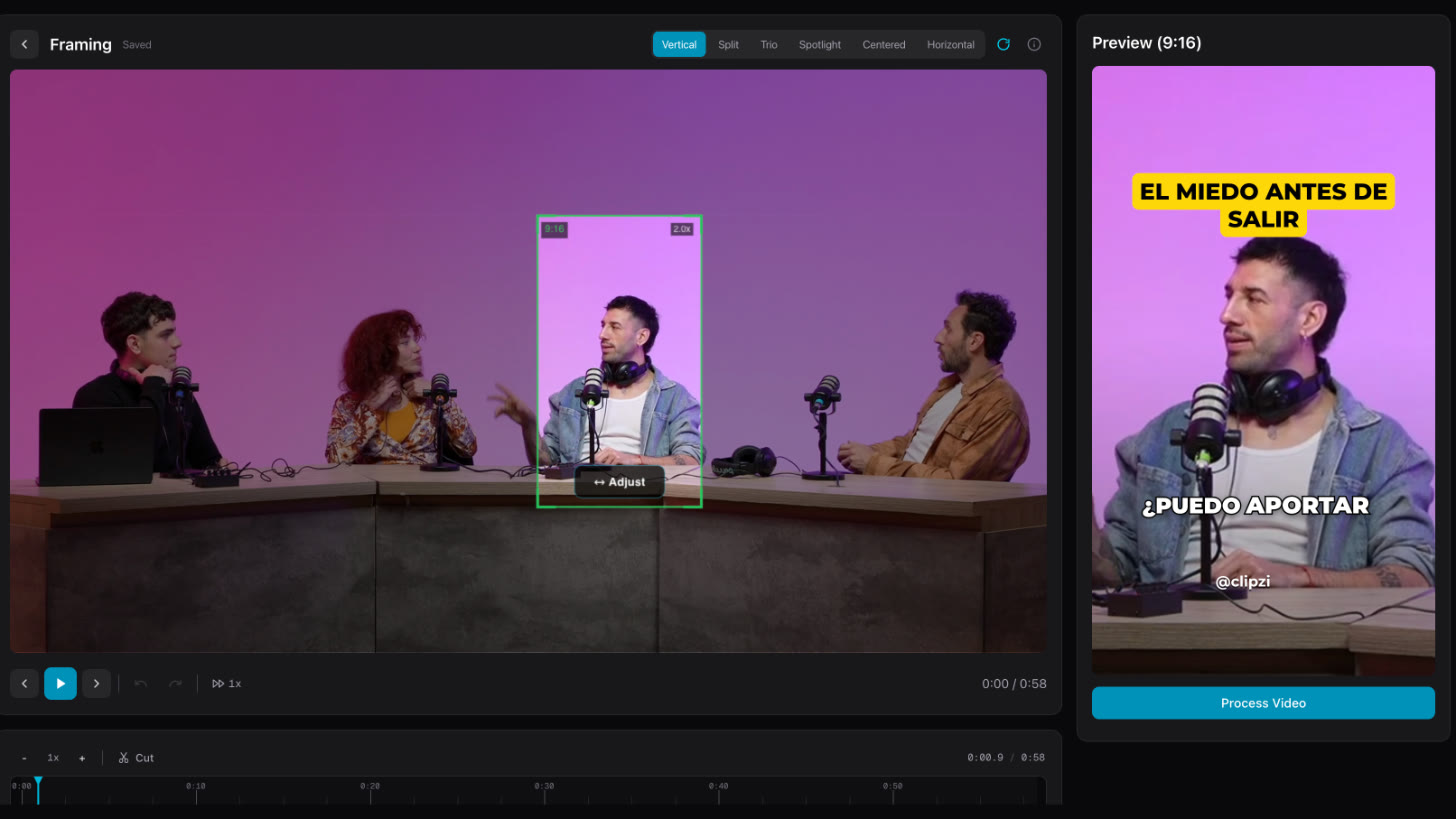
Follows whoever is talking
Vertical AI sees who speaks at each moment and frames them. When two people talk, it splits the screen. And it shows you how it built each clip.
02
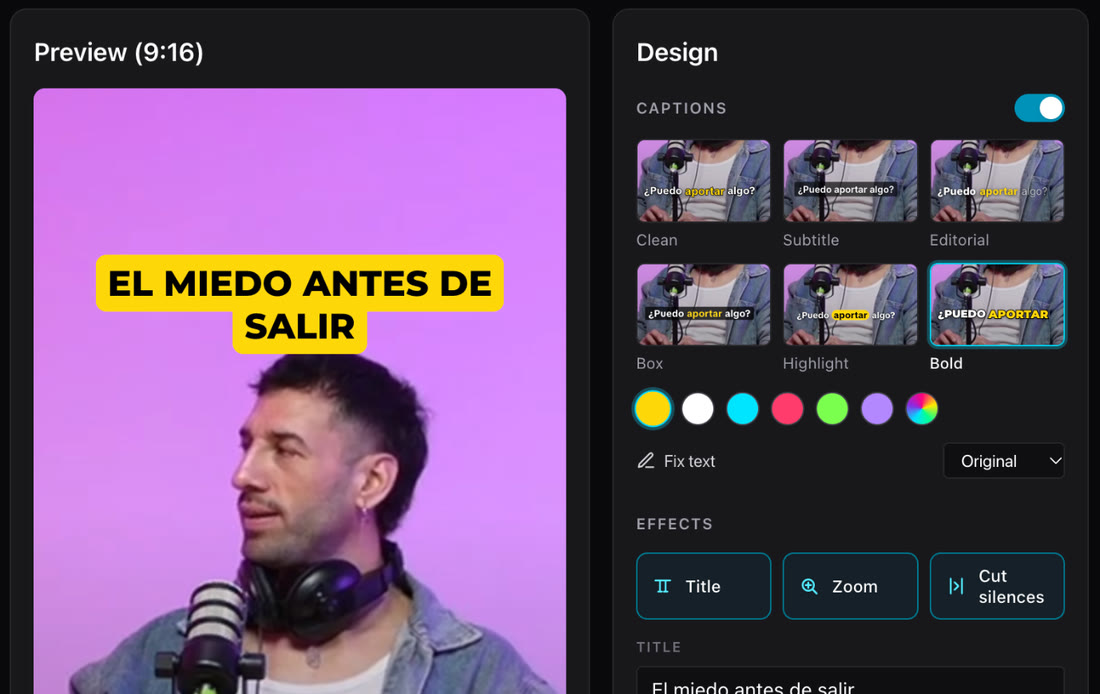
Your style on every clip
Six caption looks, your brand color, your logo and a call to action. Save it once as your style and every new clip comes out with it.
03
No dead air
Cuts silences and filler sounds, even the ums the transcript never writes down. Laughter stays.
04
Or do it your way
Add your own clips by time, change where any clip starts and ends, frame it by hand with keyframes and layouts, cut out any part, fix any caption word. Everything you change stays saved.
Find any moment
Ask for a topic in plain words and get the clip.
Captions for the whole video
SRT files for the full video or for each speaker, translated if you need it.
Horizontal too
Horizontal clips up to 4K and vertical clips in 1080x1920.
Loved by creators
Creators who switched never looked back
“
With Clipzi, I was able to make several Shorts from a long video in minutes. Before, it was impossible to produce so many clips in one day.

Valentina Lopez Suriano
@valensuriano · Creator
“
I use Clipzi to create all the Shorts for my YouTube channel. It finds the best moments from my videos and I just publish them.

Matias Tessandori
@matiastessandori · YouTuber
“
I am fascinated. It is excellent for my video podcast.

Gabriel Sanfilippo
@gabosanfilippo · Video podcaster
Pick the plan that's right for you
Upload a video and see your clips for free. Pick a plan when you want to download them.
Starter
Billed monthly
Process 20 long videos per month
- Cut as many clips as you want
- Up to 8 GB per video
- 60-day history
- Your logo on your clips
- Download and share your clips
Pro
Billed monthly
Process 60 long videos per month
- Cut as many clips as you want
- Up to 20 GB per video
- 90-day history
- Your logo on your clips
- Download and share your clips
- Premiere XML export
- Captions for the full video (SRT)
Business
Billed monthly
Process 200 long videos per month
- Cut as many clips as you want
- Up to 20 GB per video
- 180-day history
- Your logo on your clips
- Download and share your clips
- Premiere XML export
- Captions for the full video (SRT)
- 3 team seats: a login for each editor (early access)
- Priority support
* Prices displayed in USD
Frequently asked questions
What is Clipzi?
Clipzi turns your long videos (podcasts, interviews, streams, lectures) into short vertical clips ready for TikTok, Instagram Reels and YouTube Shorts. Upload a video, and AI finds the best moments, adds captions, and crops them vertically.
How do I upload my first video?
Go to the Dashboard, drag your video into the upload zone or pick a file. Clipzi accepts most common video formats (MP4, MOV, WebM) up to your plan's file size limit. Processing usually takes a few minutes depending on length.
Can I change what the AI did?
Yes, all of it. Change where a clip starts and ends, add your own clips by time, frame it yourself in the Vertical editor (keyframes and layouts), fix a caption word, change the look, move or rewrite the title, or cut parts out. Your changes are saved with the clip, so it stays as you left it. Vertical AI never replaces a clip you edited unless you ask it to redo it.
How does AI clip detection work?
We transcribe the audio and an AI model reads the whole conversation looking for moments that make sense on their own: strong quotes, stories, punchlines and insights. Every clip starts and ends on a full sentence, never in the middle of an idea. Then Vertical AI frames, captions and titles each one. You can edit the clips after: add or remove them, change titles and timestamps.
How do I try Clipzi, and what do the plans include?
Create an account, upload a long video and see your clips for free: the AI finds the moments and edits up to 5 of them for vertical (framing, captions and title). You can try it with 2 long videos, up to 3 GB each. You can process a clip and watch it; downloading it needs a plan. Plans count the long videos you process, never the clips you cut from them. Starter ($29/mo): 20 long videos/month, 8 GB per video, 60-day history, no watermark, your logo. Pro ($49/mo): 60 long videos/month, 20 GB per video, 90-day history, Premiere XML export and captions for the full video (SRT). Business ($149/mo, early access): 200 long videos/month, 180-day history and priority support. Annual billing saves 2 months (Starter $290/year, Pro $480/year, Business $1490/year). Full details on the Pricing page.
What counts as a video? Are clips limited?
A video is the long video you upload (a podcast, a stream, a talk). The AI finds the best moments in it, and you can cut as many extra clips as you want. Clips never count against your limit. We only count the long videos you process.
Your next long video already has a week of clips inside.
Upload it today. The AI finds the moments and leaves them ready to post.
Start clipping for freeUpload a video and see your clips for free. No credit card needed.